
Gate Automation & Access Control in Galveston County, TX
The operator moves the gate. Access control decides who can make it move. Plan it by who comes through: the people who live or work there, visitors and deliveries, cars leaving, and the fire department. Then decide what the gate should do when the power goes out.
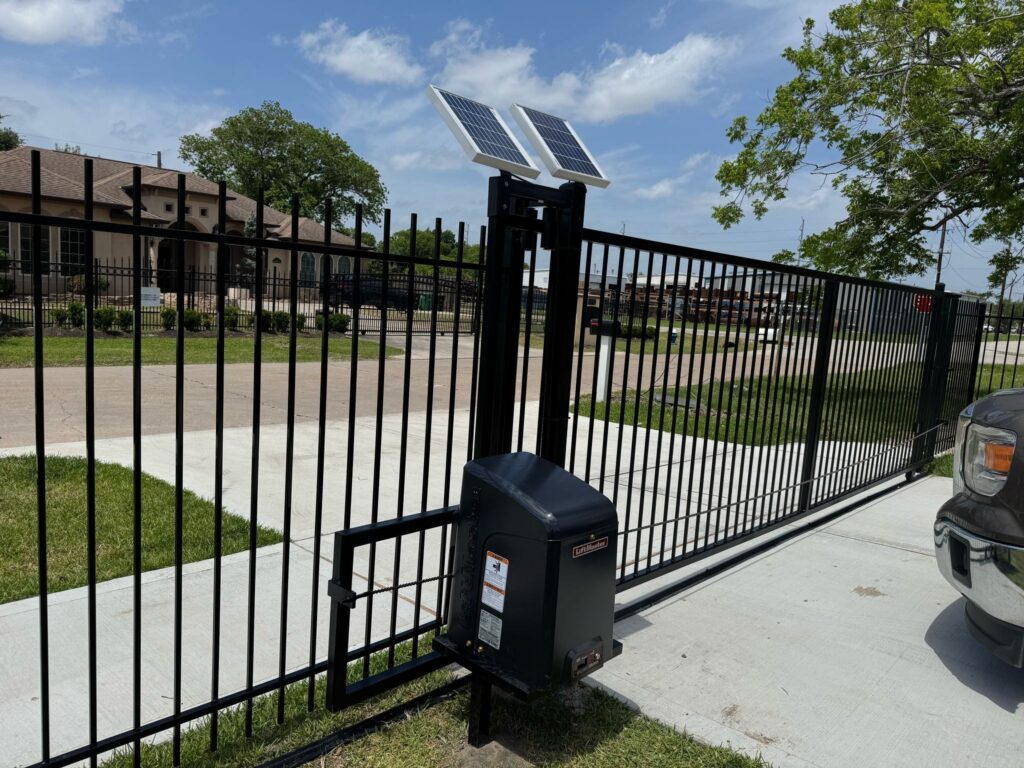
Pick access control by who comes through the gate. Residents usually get remotes or a keypad code. Visitors use a telephone entry box or a code you can change, and cars leave over an exit loop, so nobody needs a remote to get out. Keypads and readers go on a pedestal at least 6 ft from any moving part of the gate. Outdoor controls need a code or credential so strangers can’t use them. Decide up front whether the gate should open or stay closed when the power fails.
Source: LiftMaster CSW24UL swing gate operator installation manual (a worked example; other operators differ).
Two purchases: the operator, and the way in
An automatic gate has two parts people often mix up.
- The gate and its operator. The motor, arm or rack that moves the gate, and the sensors that stop it hitting anyone. That is the electric gate decision, with its UL 325 and ASTM F2200 rules. Automatic gate installation covers new gates versus adding an opener to one you have.
- Access control. Everything that tells the operator to open: remotes, keypads, telephone entry, card or fob readers, a phone app, and the loops cut into the drive. That is this page.
Access control is where most of the day-to-day decisions sit. Who gets a remote? Who gets a code, and how do you take it back? How does the delivery driver get in? How does a guest leave without one? It is also where your security actually comes from: a strong gate with a code everyone knows is still an open gate. For businesses, see commercial access control; for the gate that controls a secured site, see security gates; for a community or HOA weighing keypad, RFID and cloud call box options, see upgrading an HOA gate's access control.
Ways to open an automatic gate
| Method | How it works | Best for | Watch for |
|---|---|---|---|
| Remote (transmitter) | A handheld or visor button learned into the operator’s memory | People who come and go every day | Memory is finite: the example operator holds 50 remotes or keypads. A lost remote works until you erase it |
| Keypad | A code entered at a pedestal; wireless or wired to the operator | Family, staff, regular service calls | Codes spread. Give separate codes where the system allows, and change them when people leave |
| Telephone entry / intercom | The visitor calls a resident or the office from the gate, who opens it | Communities, apartments, offices, homes with many visitors | Needs a phone line or cellular service at the gate. Wired to the operator’s exit or open input |
| Card or fob reader | A credential held up to a reader; each one can be added or removed | Businesses and communities with many users | Needs its own controller and user list; plan who manages it |
| Phone app | The operator is paired to an internet gateway and opened from a smartphone | Opening for a guest or delivery while you’re away | Needs internet at the operator. Keep a keypad or remote as a backup |
| Exit loop or exit device | A loop in the drive, or a probe, senses a car leaving and opens the gate | Everyone leaving, without a remote | Place it inside only, where a car from the street can’t trigger it |
| Fire department switch | A Knox key switch or siren (SOS) system on the operator’s fire department input | Fire lanes and sites the fire department must reach | Ask the Fire Marshal which system they use |
Device roles and inputs from the LiftMaster CSW24UL manual (EXIT input: “exit probe, telephone entry, external exit loop detector”; Internet Gateway and smartphone; Fire Dept open input: “Knox box switch, SOS system”). Placement from DASMA TDS 352.
Gate access planner
Tell us who comes through the gate. You’ll get a starting plan for how residents, visitors and exiting cars open it, which loops to ask about, what it should do in a power cut, and where the controls can go.
Based on the LiftMaster CSW24UL swing gate operator manual (one listed operator, used here as a worked example: memory for 50 remotes or KPW250 keypads plus 2 keyless entries; exit, shadow and interrupt loops; vehicle loops suggested for vehicles 14 ft or longer; example settings for residential, general access, commercial and industrial sites), DASMA TDS 352 and TDS 353, and 2021 IFC §501.3 (City Ord. 23-013). Other operators differ: check the manual of the model you’re quoted. A planning aid, not a design or permit decision.
Loops: how the gate knows a car is there
A loop is a wire cut into the drive that senses the metal of a car above it. The example manual gives each position its own job:
- Exit loop, inside the property near the gate: opens a closed gate for a car leaving.
- Shadow loop, under the swing of a swing gate: holds an open gate open while a car is over it. It is ignored while the gate moves.
- Interrupt loop, outside the gate: holds an open gate open, and stops and reverses a closing gate.
Loops are not required, but the manual suggests them for vehicles 14 feet or longer, such as a truck with a boat trailer. Loops are not entrapment protection. People are protected by the photo eyes and edges covered on the electric gate page and in UL 325 and ASTM F2200 explained.
What the gate does when the power fails: one manual’s example settings
| Setting | Home (1 to 4 homes) | Community of more than 4 homes | Business, gate kept closed | Large industrial site |
|---|---|---|---|---|
| Mains power fails | Runs on battery | Runs on battery. Where the local authority requires it, set to open about 15 s after power fails | Runs on battery | Runs on battery |
| Battery runs low | Opens and stays open | Opens and stays open | Stays closed | Stays closed |
| Car in the interrupt loop or photo eyes while closing | Gate reverses | Gate reverses | Gate pauses, to discourage tailgating | Gate pauses, to discourage tailgating |
| After a car passes | Closes on the timer or a control | Closes on the timer or a control | Closes on the timer or a control | Quick close: shuts right after the car clears |
LiftMaster CSW24UL manual, “Gate Operator Setup Examples” (AC Fail Open, Low Battery, Anti-Tail and Quick Close switches). Other operators use different names and defaults.
What happens at the estimate
- Who comes through. Residents, staff, regular visitors and deliveries, and how you want to add and remove people.
- Walk the drive. Where a car stops to use the keypad, whether it can wait off the street, and where the exit, shadow and interrupt loops would go.
- Power and signal. Distance to mains power, or sun for a solar operator. Phone or internet at the gate if you want telephone entry or an app.
- Existing gate. If you already have a gate, whether it swings or slides freely and can take an operator. The operator should only go on a gate that works freely.
- Fire and flood. Whether the drive is a fire lane, and how high the electronics should sit.
You get a written quote for the gate, operator and access devices.
What affects cost and timing
- The entry methods. A single keypad costs less than a telephone entry system or card readers with their own controller.
- How many users. A few remotes fit the operator’s memory. Many users need a system that manages its own list.
- Wiring. Wireless keypads avoid trenching. Pedestals, loops and wired devices mean cutting the drive and running cable.
- Power and signal. Mains power, solar and batteries, and any phone or internet line to the gate.
- Retrofit or new. Adding access control to an existing operator depends on what that operator accepts. See keypad vs. remote for the everyday trade-offs.
Financing is available through the providers on our financing page, subject to credit approval.
What Galveston customers say
5.091 Google reviews · read them all on Google
Very professional and friendly. Gotten automatic gates done and they are done to perfection! Thank you
had an excellent experience with mustang fencing From the initial consultation to the final installation, the team was professional, punctual, and attentive to detail. They helped me choose the perfect fence style to match my property and ensured everything was installed with precision. The quality of materials is top-notch, and the fence has completely transformed the look and security of my home. I highly recommend mustang services to anyone looking for reliable and high-quality fencing services!
My new fence looks fantastic and has added both privacy and style to my yard. Highly recommend their services for anyone in need of fencing!
Reviews shown word for word from the Mustang Fencing Services Google Business Profile (Galveston), captured 2026-10-19.
Questions we get about this
What is the difference between a gate operator and access control?
Should I get a keypad or remotes?
How do visitors and deliveries get in?
How do cars get out without a remote?
What happens to an automatic gate when the power goes out?
Where can the keypad go?
Does the fire department need a way through my gate?
Sources
Checked September 27, 2026. Rules change, so confirm with the City before you build.
- LiftMaster CSW24UL swing gate operator installation manual — controls ≥ 6 ft and security feature; 50 remotes or keypads plus 2 keyless entries; Internet Gateway; exit, shadow and interrupt loops; vehicle loops for vehicles ≥ 14 ft; example setups; fire department open input.
- DASMA TDS 352, Automatic Vehicular Gate Operating Systems: Guidelines — secure controls from unauthorized use; locate controls out of reach of the gate with a full view of it; operator inside the fence line; separate pedestrian access.
- DASMA TDS 353, Vehicular Gate Operators and the ANSI/CAN/UL 325 Standard — UL 325 classes; warning signs; controls at least 6 ft from the gate.
- City of Galveston Ordinance No. 23-012 (2021 IRC adoption, Appendix AO) — automated vehicular gates: ASTM F2200 and UL 325.
- Galveston City Council minutes, January 26, 2023 — adoption of the 2021 IFC (Ord. 23-013).
- 2021 International Fire Code, §501.3 — security gates across fire apparatus access roads: plans to the fire department for approval.
Where we install gate automation & access control
We install gate automation & access control across Galveston County and the Bay Area side of the mainland. We serve these towns directly:
Planning how people get through your gate?
Tell us who uses the gate. At a free on-site estimate we’ll look at the drive, the keypad position, the loops and visitor entry, then quote the whole system. We serve Galveston County.

